Dell OptiPlex 3070 Micro Review: A Renewed Business Desktop
An enterprise-grade Dell desktop at a refurbished price. Here's what that trade actually buys an office, and where it falls short.

A dependable renewed desktop for basic office seats. The Core i5-9500 and Windows 11 Pro cover everyday work, but 8GB of RAM and a 250GB SSD leave little room to grow.
Check price on Amazon →| Processor | Intel Core i5-9500 (9th Gen, Hexa-Core) |
|---|---|
| Memory | 8GB DDR4 RAM |
| Storage | 250GB SSD |
| Operating system | Windows 11 Pro |
| Wireless | WiFi (5GHz) and Bluetooth |
| Form factor | Ultra-small Micro chassis |
| Condition | Renewed (refurbished) |
The Dell OptiPlex 3070 Micro is a renewed compact desktop built around Intel's 9th Gen Core i5-9500 processor, sold with Windows 11 Pro, 8GB of RAM, and a 250GB SSD already installed. It targets small offices and single-user desks that need a dependable Windows machine without the footprint of a full tower, and its renewed condition is what puts an enterprise-grade Dell within reach of a tight hardware budget.
This review covers what the OptiPlex 3070 Micro handles well, what buying it renewed actually means day to day, and how it compares to the other mini PCs selling in the same category right now. Every claim below comes from the manufacturer's own listing for this unit.
What the Dell OptiPlex 3070 Micro Is, and Who Should Buy It
The Dell OptiPlex 3070 Micro is a business-line desktop from Dell's OptiPlex family, shrunk into a chassis small enough to mount behind a monitor. It ships as a Renewed unit running Windows 11 Pro on an Intel Core i5-9500, paired with 8GB of DDR4 memory and a 250GB SSD.
It fits desks that run standard office software: browsers, email, spreadsheets, and video calls, plus point-of-sale, reception, or back-office roles where a full tower would be overkill. It is not built for gaming, video editing, or local AI workloads, since it relies on the processor's integrated graphics with no room for a discrete GPU.
The OptiPlex line itself was designed for corporate IT departments buying dozens or hundreds of identical units at once, not for a single home shopper. That heritage shows up in small ways even on a renewed unit: a chassis built for tool-free servicing, a layout meant for fleet imaging, and a Micro form factor Dell has sold in this line for years, so replacement parts and documentation are easy to find secondhand.
- Best for: office desktops, reception and front-desk stations, and point-of-sale setups
- Also good for: hot-desking and multi-seat rollouts where space and budget both matter
- Skip it if: you need discrete-GPU power for gaming, 3D work, or local AI inference
Performance: What the Core i5-9500 Handles
The Core i5-9500 is a six-core, six-thread desktop processor from Intel's 9th Generation Coffee Lake Refresh family, and Dell's listing describes it as smooth for everyday multitasking, web browsing, and business productivity. Unlike Intel's mobile Core chips, the i5-9500 was built for a desktop socket, so it runs at full desktop clock speeds instead of the throttled speeds a laptop-class part settles for.
With 8GB of RAM and a 250GB SSD, the system boots quickly and handles a handful of open applications without stalling. That memory ceiling is the real limit: 8GB covers a browser, an office suite, and a video call running together, but stacking on a dozen browser tabs, a spreadsheet, and a Teams call at the same time will start to slow it down.
One detail worth knowing about this specific chip: Intel's 9th Gen Core i5 desktop parts, the i5-9500 included, do not support Hyper-Threading, so its six cores handle six threads, not twelve. That is normal for a mainstream Core i5 of this generation, and it does not hurt single-app office work, but it is a real ceiling if a role ever grows into heavier parallel workloads.
Renewed: What That Actually Means for This Machine
Renewed is the single fact that decides whether this listing makes sense for a given buyer. It means the unit is a refurbished OptiPlex 3070 Micro, professionally inspected and resold rather than built new, and that distinction is what lets an enterprise-grade Dell land at a budget price.
For a small business fleet, that trade is often a good one. A renewed unit costs less than comparable new hardware, and Dell's OptiPlex line was built for corporate deployment from the start, so its components have already proven themselves in office use before they were ever refurbished. The trade-offs are the usual ones with refurbished hardware: cosmetic wear is possible, the internal parts carry prior use, and warranty terms differ from a new-unit purchase, so it is worth confirming the seller's specific renewed-condition coverage before buying more than one.
That coverage question matters more the larger the order gets. A single renewed OptiPlex for a spare desk is low risk; standardizing a ten-seat office on renewed units is worth a direct question to the seller about return windows and unit-to-unit consistency before committing.
Size, Wireless, and Where It Fits on a Desk
The OptiPlex 3070 Micro's main selling point beyond its processor is its size. Dell built the Micro chassis to disappear behind a monitor or tuck into a drawer, and the listing calls out low power draw and quiet operation as part of that same design goal, both genuinely useful in an open office where a tower's fan noise is a real annoyance.
Wireless connectivity is built in, with WiFi (the listing specifies the 5GHz band) and Bluetooth included, so there is no need for a USB dongle to get the machine online or paired with a wireless keyboard and mouse. Combined with its mounting options, that makes it straightforward to standardize a fleet of these on identical desks without a tangle of cables running to each one.
Windows 11 Pro: What It Adds for IT Management
Windows 11 Pro is what makes the OptiPlex 3070 Micro deployable as more than a standalone PC. Pro edition adds domain join, Group Policy support, BitLocker drive encryption, and Remote Desktop hosting, none of which are available on Windows 11 Home, and all of which matter once a machine leaves a single desk and joins a managed fleet.
For a business running several of these side by side, that means an IT administrator can push the same security policy, encryption requirement, and update schedule to every unit from a central console, instead of configuring each machine by hand. Combined with a chassis built for fast, tool-free servicing, the OptiPlex is easier to keep consistent across a small fleet than a mix of unmanaged consumer machines would be.
Where the OptiPlex 3070 Micro Falls Short
The OptiPlex 3070 Micro's weaknesses trace directly to its specs and its renewed condition, not to a flaw in Dell's design. None of them are surprising for a machine at this price point, but they are worth planning around before it becomes the standard desktop for a whole team.
- 8GB of RAM is tight for heavy multitasking, and the listing does not state whether it can be upgraded
- 250GB of storage fills up quickly once a handful of applications and a Windows install are on it
- Integrated graphics only, so gaming, 3D work, and local AI inference are all out of reach
- Renewed condition means shorter or different warranty terms than a new unit, plus possible cosmetic wear
- A 9th Gen processor is several generations behind current mini PCs, so single-thread and multitasking headroom both trail newer chips
- No Hyper-Threading on this chip, so parallel, multi-threaded work has less room than a similarly priced newer part
Dell OptiPlex 3070 Micro vs the Alternatives
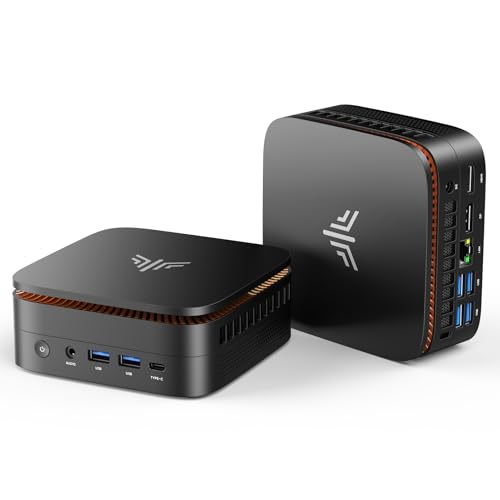
Against the other mini PCs selling in this category, the OptiPlex 3070 Micro competes on brand pedigree and a genuine desktop-class processor rather than on raw specs. The KAMRUI models undercut it on price with newer, lower-power chips like the Celeron N5095 or the Ryzen 7330U, and several ship with more RAM and storage out of the box, but none carry the corporate deployment history behind an OptiPlex.
The Apple Mac mini with the M4 chip sits in a different category entirely. It costs more, runs macOS instead of Windows, and suits a business that has already standardized on Apple hardware rather than one replacing aging Windows desktops. For a Windows-only office working with a tight budget, the OptiPlex remains the more direct fit.
The deciding question is really what a business is optimizing for. Buyers chasing the lowest specs-per-dollar will find better raw numbers on the newer KAMRUI units; buyers who value a known corporate-fleet chassis, Dell's manageability tooling, and a processor that runs at full desktop speed will find the OptiPlex the safer standardize-on choice. The full comparison set is below.
Where to buy the Dell OptiPlex 3070 Micro
A dependable renewed desktop for basic office seats. The Core i5-9500 and Windows 11 Pro cover everyday work, but 8GB of RAM and a 250GB SSD leave little room to grow.
Check price on Amazon →Alternatives worth comparing
If the Dell OptiPlex 3070 Micro is not the right fit, these are the other mini pcs ranking alongside it right now.


Frequently Asked Questions
- Yes, for everyday office work. It runs Windows 11 Pro on a six-core Intel Core i5-9500, handles browsers, office software, and video calls without strain, and its small Micro chassis frees up desk space a full tower would take up.
- For basic to moderate office use, yes. A renewed OptiPlex 3070 Micro gets you Dell's business-grade build and a genuine desktop-class processor for less than comparable new hardware costs, as long as you confirm the seller's renewed-condition warranty before buying more than one.
- No, not realistically. It relies on the Core i5-9500's integrated UHD Graphics 630, which has no dedicated AI hardware and struggles even with small local models. A mini PC with a discrete GPU or a modern NPU is a better choice for on-device AI.
- It ships with 8GB of DDR4 RAM and a 250GB SSD, according to the listing. That covers standard office software and a handful of open applications, but heavy multitasking or a large file library will run into the storage ceiling quickly.
- Yes. The listing states it ships with Windows 11 Pro pre-installed, which supports business features like domain join, BitLocker encryption, and remote device management.
- It includes built-in WiFi, on the 5GHz band per the listing, and Bluetooth, so it can join a wireless network and pair with peripherals without a separate USB adapter.
- Yes. Because the unit ships with Windows 11 Pro, an IT administrator can join each machine to a domain and push the same security policies, encryption settings, and updates to every unit from one console, which is the point of buying a business-line Dell instead of a consumer PC.
Refreshing office desktops for your team?
Layer3 Labs helps small and mid-size businesses choose and roll out the right desktop hardware, renewed or new, and the workflows that run on it.
Book a free consultation